Showing posts with label top. Show all posts

Top 5 8086 emulator for Windows Linux Mac

By // 2 comments:
, , , , ,
An emulator is a software that duplicates (or emulates) the functions of one computer system (the guest) in another computer system (the host), different from the first one, so that the emulated behaviour closely resembles the behaviour of the real system (the guest).
The 8086 is a 16-bit microprocessor chip designed by Intel. The 8086 emulator duplicates the functions of Intel 8086 microprocessor in your system. You can run your assembly language program in these emulator quite easily. While creating the list I have given priority to free and open source emulators that are designed especially for Intel 8086 and have removed the Windows emulators that does not provide support to Windows 7. Well here is the list :

1. i8086emu :

i8086emu is a cross-platform open source emulator for the Intel 8086 microprocessor. It can be easily installed on Windows, Linux and BSD. It provide support for dynamically loadable device plugins and some peripherals like a PIT, PIC, 8-segment-displays, buttons and leds. i8086emu comes with an ncurses and an GTK-2 GUI which is quite awesome.
DOWNLOAD LINK : http://sourceforge.net/projects/i8086emu/files/latest/download?source=navbar

2. Emu8086 :

It is the most powerful 8086 emulator and is compatible with intel and AMD processor. It is available for Windows and Linux (through wine). Emu8086 provides a large number of in-build commands and its GUI makes it quite easy and simple to use. This software is available for free trial and you have to buy the key if you want to use the software after few days. Still it is the best 8086 emulator for Windows
DOWNLOAD LINK :http://www.emu8086.com/

3. 8086Tiny :

8086tiny is highly portable and runs on practically any little endian machine, from simple 32-bit MCUs upwards. 8086tiny has successfully been deployed on 32-bit/64-bit Intel machines (Windows, Mac OS X and Linux), Nexus 4/ARM (Android), iPad 3 and iPhone 5S (iOS), and Raspberry Pi (Linux). Additional functionality can be added to 8086Tiny by downloading and customizing its repository available on GitHub.
DOWNLOAD LINK : http://www.megalith.co.uk/8086tiny/download.html

4. PCEmu :

PCEmu is Developed David Hedley for linux and BSD. PCEmu emulates an 8086-based machine with VGA text graphics, EMS memory, host file system access, and `hardware' debugging. The emulator uses the mfs.c code from Linux DOSEMU to mount Unix directories as drives under DOS, so you can transfer data from the host to the target easily.
DOWNLOAD LINK : http://sourceforge.net/projects/pcemu/files/latest/download

5. Q :

Q is a free emulator software that runs on Mac OS X , including OS X on PowerPC. Q is Mike Kronenberg's port of the open source and generic processor emulator QEMU from Fabrice Bellard. Q uses Cocoa and other Apples Core-technologies like Coreimage, Coreaudio and OpenGL for in- and output, saving the overhead of crossplattform APIs like SDL, FMOD or GTK. , such as Core Image and Core Audio, to achieve its emulation.
DOWNLOAD LINK : http://www.kju-app.org/

Top 10 Online Compiling Sites

By // 31 comments:
, , , , , ,
In this post I am featuring a list of top 10 Online Compilers Sites.
Online Compilers, as the name suggests are web based compilers that gives you the output of a code written in a programming language like C,C++,Java,Perl etc without any software being installed your PC.
These online compilers have many advantages like:-
  • These compilers have some basic header files included already.
  • Nice user interface.
  • As I said earlier no additional software needed to be installed for compiling the code.
So here's the list of the some sites where you can compile your code:-
  1. Ideone (Click here to Visit the Website)

    Ideone is an online compiler and debugging tool which allows you to compile source code and execute it online in more than 60 programming languages.This one is my personal favorite.You can also share your code with your friends by sending them the URL of the code submitted here(Ideone).
  2. Codepad (Click here to Visit the Website)

    Codepad is another online compiler/interpreter in which there is a pastebin that executes code for you. You paste your code, and codepad runs it and gives you a short URL that you can share it with your friends just like ideone.
  3. Compilr (Click here to Visit the Website)

    Compilr is an online editor & sandbox that lets you write your code from the comfort of your browser.It also supports touchscreen interaction so you can write your code from your mobile or tablet device.
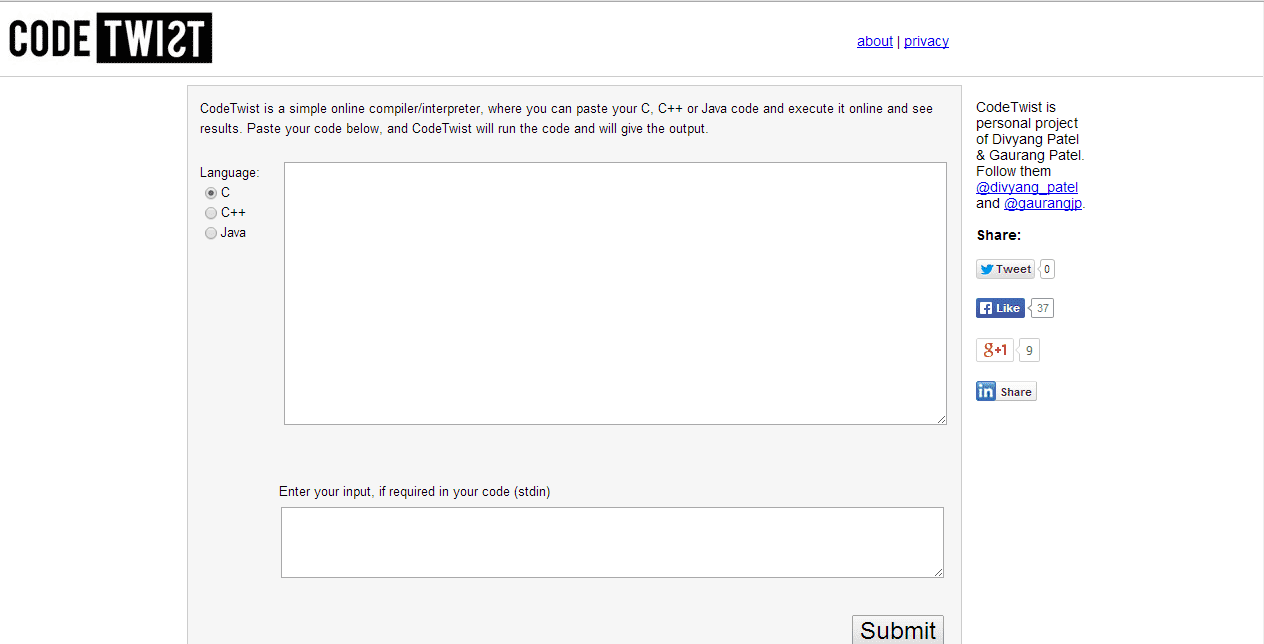
  4. Code Twist (Click here to Visit the Website)

    CodeTwist is a simple online compiler/interpreter, where you can paste your C, C++ or Java code only and execute it online to see the results.
  5. Online Compiler (Click here to Visit the Website)

    On this website you can use many online compilers GCC, MINGW, GFORTRAN, JAVA, GPC, FREEBASIC.
  6. Compile online (Click here to Visit the Website)

    Another online compiler where firstly you have to click on the language your code will be written in from a large list and then you can type or paste the code in the embedded editor.Then directly click on Compile and execute if the program doesn't need any input from the user,otherwise you can give the input in the STDIN Input in the lower right corner.
  7. Botskool (Click here to Visit the Website)

    For compiling C/C++ programs it requires registration on the site first .It also has a free HTML compiler and a HTML to PHP converter which doesn't require any registration on the site.
  8. DJGPP Public Access Cross-Compiler (Click here to Visit the Website)

    This is a compiler for only C programs.
  9. Free PHP Compilers (Click here to Visit the Website)

    This is a compiler for php scripts only.
  10. JSFIDDLE (Click here to Visit the Website)

    It is site where you can test and share JavaScript, CSS, HTML or CoffeeScript.

Lightest Live CDs Below 50MB

By // 1 comment:
, , ,
Live CD is the operating system that can be run directly from the CD or USB without actual installation. Live CDs are mostly used for system repair, malware analysis/removal and privacy. Now a days a large number of live CDs are present in the market. In this article I am gonna tell you about the lightest Live CDs that could be used for basic user operations.

List Of Lightest Live CDs :

  • Thinstation (9MB):

    Thinstation is a quite thin client linux distro. It works amazing well and is probably the best Live OS under 10MB. Based on x86 architecture it provides all the basic operations.
  • DOWNLOAD LINK :

    http://sourceforge.net/projects/thinstation/
  • Trinux (9.5MB):

    Trinux is a compact linux distribution that is mainly used as emergency system for computers, especially to analyze network problems. It contains most important Linux prompt tools, as well as several other safety-related software nmap, port scanners, network tools, and backup software. There is no GUI in Trinux, as you can see below.
  • Repairlix (10.4MB):

    As the name suggest this Live CD is designed for repairing damaged system. This distribution is totally command based their is no GUI. But it does provide a large variety of commands to play with and its small size make it a decent live CD.
  • DOWNLOAD LINK :

    http://sourceforge.net/projects/repairlix/
  • Nanolinux (13.5MB):

    Nanolinux contains the basic applications and several games it is based on the core version of Tiny Core Linux. Uses the SLWM(Super Lightweight window manager). It contains five Games: Tuxchess, NXeyes, Checkers, Blocks, Sudoku and Mastermind which is quite amazing considering its size.
  • DOWNLOAD LINK :

    http://sourceforge.net/projects/nanolinux/
  • Tiny Core (15MB):

    Tiny Core is developed by the Robert Shingledecker for providing a base system using BusyBox and FLTK (Fast Light Tool Kit). The smallest version is of only 9MB and is known as the "core". Additional functionality are provided through extensions.
  • DOWNLOAD LINK :

    http://tinycorelinux.net/downloads.html
  • PXES (18.3MB):

    PXES is a lot more than a simple light Live CD. PXES is a micro Linux distribution allowing you to build thin clients or diskless workstations. Hardware not suitable for other uses like current desktop OS can be recycled and converted into a thin client. Graphical tools makes it easy to configure the micro distribution.
  • DOWNLOAD LINK :

    http://sourceforge.net/projects/pxes/
  • WOMP! (28.2MB):

    WOMP! is micro linux distribution whose main focus is on multimedia. Basically, it takes only 13 to 30 MB depending on the selected options on a bootable CD, and allow playing a wide range of multimedia files (video/audio/image) without installing any software on the computer's hard drive.
  • DOWNLOAD LINK :

    http://sourceforge.net/projects/womp/
  • Slitaz (35MB):

    Slitaz Live OS provides a fully-featured, working graphical distro and lets you keep your data and personal settings on persistent media. The system can be extended with the Tazpkg package manager and security updates are provided for the cooking and stable versions. Slitaz is also used by the popular password cracking software Ophcrack.
  • DOWNLOAD LINK :

    http://www.slitaz.org/en/get/
  • ByzantineOS (46MB):

    ByzantineOS is based based on a networked Linux distribution/bootable system with Mozilla providing access to a range of services and applications. It can be easily booted from CD and USB. startx command is used to start the X windows system for GUI.
  • DOWNLOAD LINK :

    http://sourceforge.net/projects/byzgl/files/
  • MitraX (50MB):

    MitraX is linux based live CD which can be easily used by anyone. You don't need any experiance with Linux in order to use it - all important programs have graphic interface. It use around 96 MB during run time.
  • DOWNLOAD LINK :

    http://www.mitrax.net/download

Top ten torrent client for linux

By // No comments:
, , , , , ,
Torrent clients, sometime called as BitTorrent client are computer programs designed for peer-to-peer file sharing using the BitTorrent protocol. Everyone needs a nice torrent client to manage their torrent download. Now day a large number of option are available to linux user when it comes to selecting the torrent client for their machine. In this article I am gonna tell you about the top ten free torrent client that are available on the internet for linux.

1. UTorrent :

Utorrent is without a doubt the most used torrent client on the desktop worldwide, this software is available for Windows, Mac, Linux and Android . It have a nice GUI, which makes it quite easy to use and modify. Even newbies can use this software efficiently. Provies a lot of option like speed limiter, auto shutdown, selected download, priority based download, nice graphical display of download/upload speed and lot more . Currently it is available for Debian 7.0, Debian 6.0, Ubuntu 13.04 and Ubuntu 12.04. Only drawback is it is not open source.
Utorrent

For Download Click Here


2. Deluge

Deluge is a free software, open source and cross-platform BitTorrent client written with Python and GTK+, it is available for Mac, Windows and Linux. The program uses the libtorrent-rasterbar C++ library as its backend for torrent networking functionality through the project's own Python bindings. Deluge is not designed for any one desktop environment and will work just fine in GNOME, KDE, XFCE and others. Also have a large number of plug in to increase the functionality. Have official and stable release for Foresight, Slackware, Gentoo, Arch, OpenSUSE, Fedora, Debian and Ubuntu.

Deluge

For Download Click Here


3. Transmission

Transmission is a lightweight GTK+ client, and is the official Ubuntu client. It comes preinstalled as of the 8.04 Hardy Heron release. It also support the command line interface and have web client. It is designed for easy and powerful use. The best part of this software is that it uses minimum resources of your system. Also have a large number of plug in to increase the functionality. It is available for Ubuntu, Fedora, OpenSUSE, Mandriva, CentOS, Debian, Puppy, Arch Linux, Slackware, FreeBSD, Gentoo, Pardus and NetBSD.
Transmission

For Download Click Here


4. qBitTorrent

qBittorrent is a free software cross-platform BitTorrent client which uses uses the Rasterbar libtorrent library and is available for Linux, Windows and Mac. qBittorrent is written in the C++ programming language (utilizing the Boost C++ libraries). It also uses the Qt4 framework. Its optional search engine is written in the Python programming language. qBittorrent is an attempt to provide a μTorrent equivalent that is open-source and multi-platform adding a streaming-like function to let users download-and-play video file.
QBittorrent

For Download Click Here


5. Ktorrent

KTorrent is a BitTorrent client that is part of the KDE Software Compilation. It is the most used torrent client in KDE-based distributions. KTorrent is a BitTorrent client written in C++ using the Qt user interface toolkit. It have a nice GUI. You need to install libktorrent(which is different for each version) before installing the Ktorrent package. Ktorrent does not have a lot of plug-ins like Transmission and Deluge.
KTorrent

For Download Click Here


6. Vuze

Vuze is written in Java (should have used C to make it a bit lightweight) , and uses the Azureus Engine. It is available for Mac, Windows, Linux and Android. If you want a simple lightwight torrent client this product is not for you, it is the most resource intensive torrent client of the list. In addition to downloading data linked to .torrent files, Azureus allows users to view, publish and share original DVD and HD quality video content. Content is presented through channels and categories containing TV shows, music videos, movies, video games, series and others. Also offers a large number of plug-ins.
Vuze

For Download Click Here


7.Tixati

Tixati is developed by Kevin Hearn and it is available for Linux and Windows. It is written using C++ so it is quite light weight. Alongside the full version, a portable version is offered which does not require installation can be run on USB flash-drives or other portable media. Support any recent Linux distribution with GTK2 libraries.
Tixati

For Download Click Here


8.rTorrent

rTorrent is a text-based ncurses BitTorrent client written in C++, based on the libTorrent libraries for Unix, whose author's goal is "a focus on high performance and good code". It is most lightwight and fast torrent client client in today's market. Since it is a terminal application, it can be used with the "screen"/"dtach" utility so that the user can conveniently logout from the system while keeping the file transfers active. A bit complex for newbies.
rTorrent

For Download Click Here


9.KGet

KGet is a download manager of KDE. By default it is the download manager used for Konqueror, but can also be used with Mozilla Firefox and other browser. KGet is part of the KDE Network package. Supports files download from FTP, HTTP(S) and BitTorrent sources. Tells lots of information about current and pending downloads. KGet is distributed under the terms of the GNU General Public License (GPL), Version 2.
KGet

For Download Click Here


10.Tribler

Tribler another bitTorrent client that is written using c and phyton. It is developed by Delft University of Technology and Vrije Universiteit. Tribler is an application that enables its users to find, enjoy and share content. The user interface of Tribler is very basic and focused on ease of use, instead of diversity of features. Tribler is based on the BitTorrent protocol and uses an overlay network for content searching, which makes the program operate independent of external websites and renders it immune to limiting external action, for example, government restraint.
Tribler

For Download Click Here


Best Websites To Learn Programming

By // 3 comments:
, , , , , , , , ,
In This Post I am featuring those websites which will be best to learn programming.
As you know in the past few years programming has become very popular from the narrow area of "geeks" to the more broader world.Earlier this year, President Obama asserted and endorsed that requiring computer programming education in schools made sense. And recently, a viral video from code.org encouraged students to learn to code.Today almost every medium-to-large sized company either has a team of developers or has to hire developers to do jobs for them. From web applications to mobile applications, to DVRs and more, our lives run on code.There are many reasons why you should learn programming like programming teaches you to break problems down,it also tells how to think,right now even I am using HTML language to construct this post and last but not the least programming is fun.

So here's the list of some Websites where you can learn to code.
  1. CodeAcademy (Click Here To Visit the Website)


    CodeAcademy Home Page
  2. Code Avengers (Click Here To Visit the Website)

    Code Avengers Home Page
  3. CodeHs (Click Here To Visit the Website)

    CodeHs Home Page
  4. CoderDojo (Click Here To Visit the Website)

    CoderDojo Home Page
  5. Code.org (Click Here To Visit the Website)

    Code.org Home Page
  6. Code School (Click Here To Visit the Website)

    Code School Home Page
  7. Intel Computer ClubHouse Network (Click Here To Visit the Website)

    Intel Computer Clubhouse Network Home Page
  8. KhanAcademy (Click Here To Visit the Website)

    Khan Academy Home Page
  9. Team TreeHouse (Click Here To Visit the Website)

    TreeHouse Home Page
  10. Udacity (Click Here To Visit the Website)

    Udacity Home Page